Stop Wasting 70% of Your Time on Admin. Sell More.
Sales reps spend only 28% of their time actually selling. The rest? Lead research, CRM data entry, manual outreach. Kanbox automates your LinkedIn prospecting so you can focus on what matters: closing deals.
15-day free trial - No credit card required


Why Sales Teams Choose Kanbox
The all-in-one LinkedIn tool designed for modern sales teams

"Before Kanbox, I spent 3h/day copy-pasting messages on LinkedIn. Now my sequences run automatically and I've doubled my meetings."
Core Features
Core Features for Sales Teams
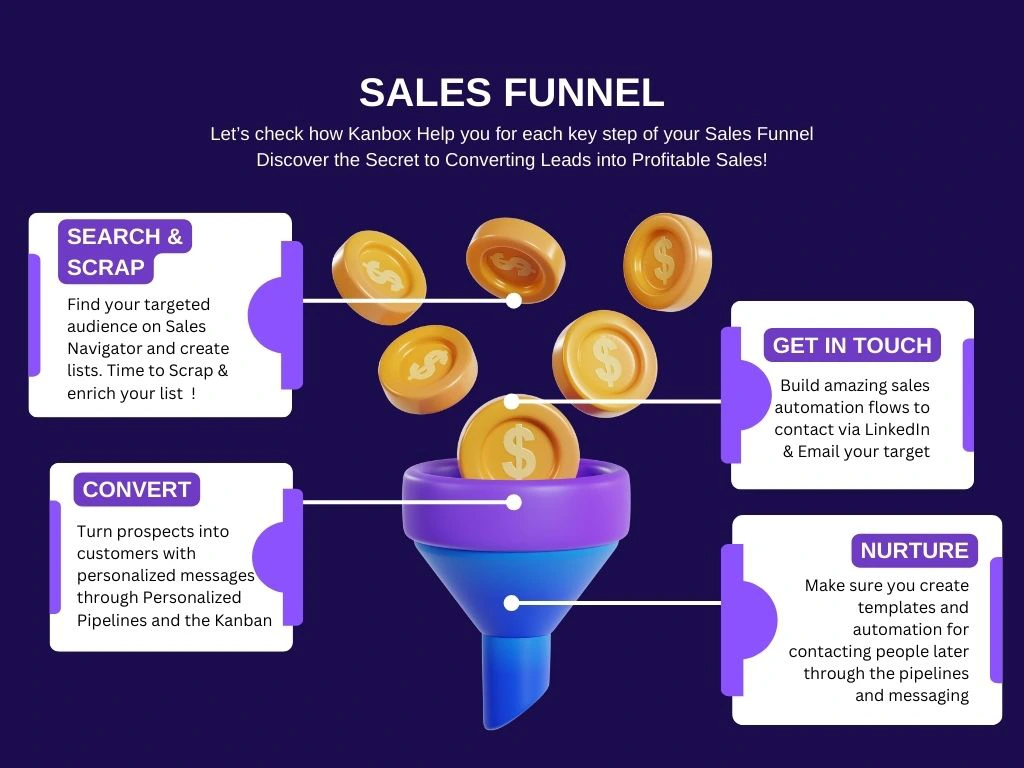
Sales Pipeline
- Customizable Kanban.
- Create stages that match your sales process.
- Drag & drop.
- Move prospects easily between stages.
- Full visibility.
- Never lose track of any deal in your pipeline.
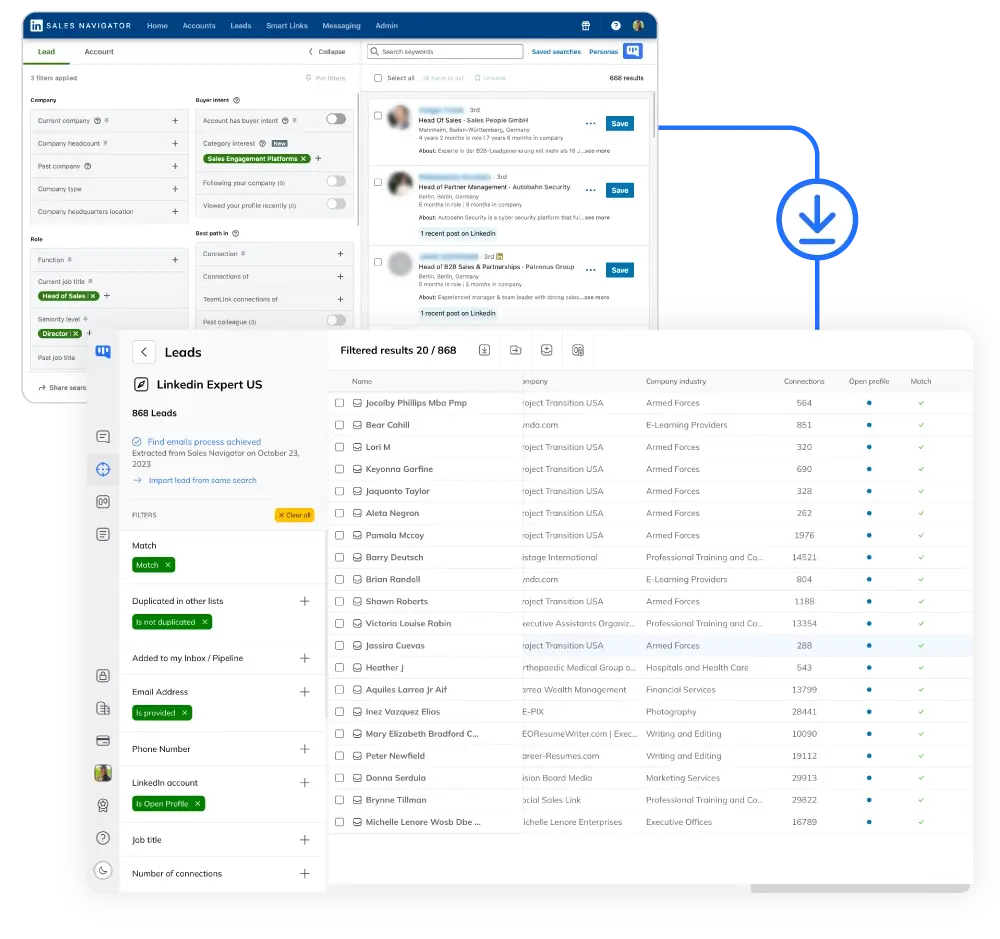
Lead Sourcing
- 75k profiles/month.
- Scrape from Sales Navigator without export limits.
- Auto-deduplicated.
- All profiles are automatically cleaned and enriched.
- ICP targeting.
- Build targeted prospect lists for each campaign.
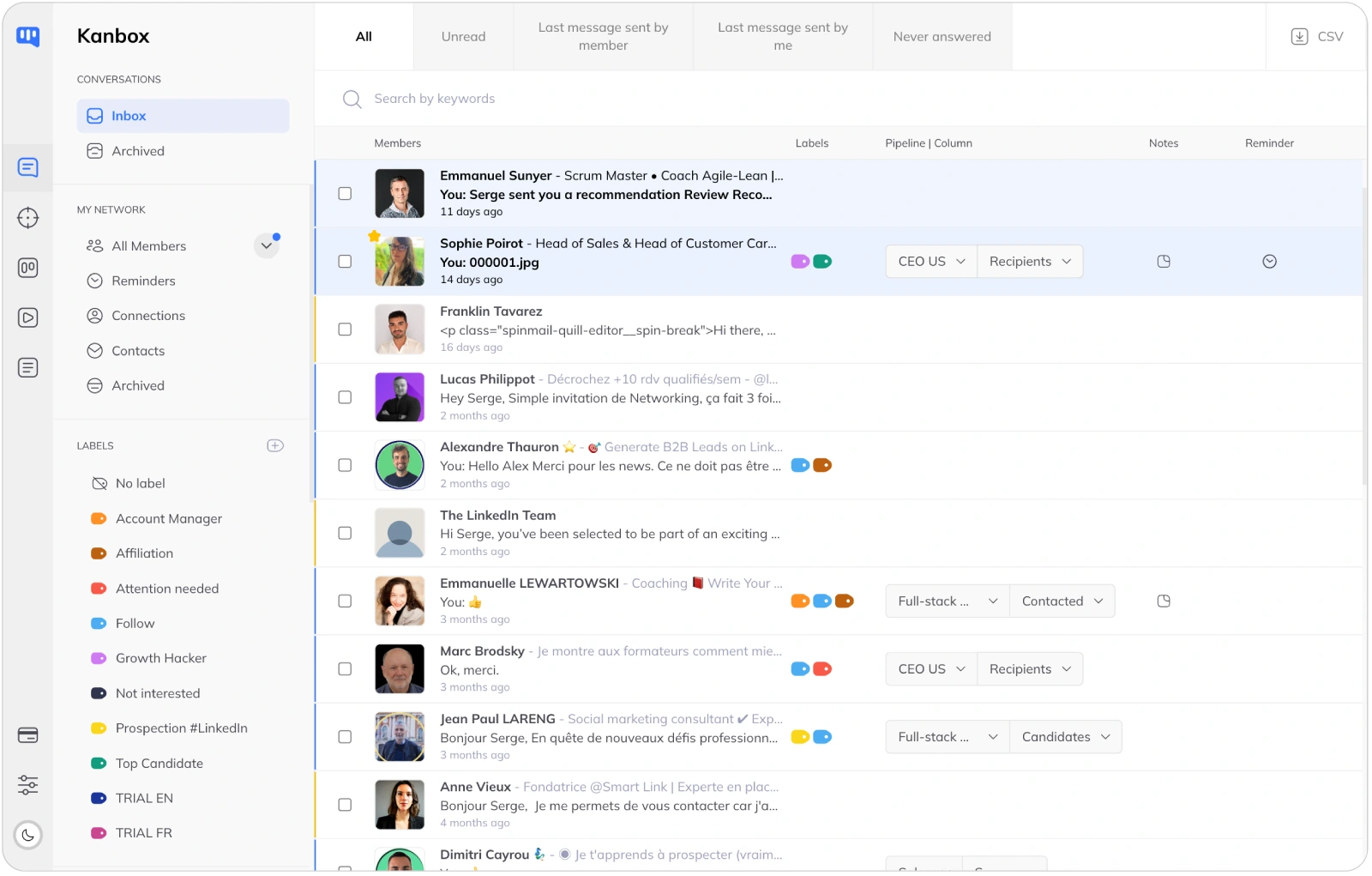
Smart Inbox
- Unified messages.
- All prospect conversations in one place.
- Tags & notes.
- Tag by deal, add notes, set reminders.
- Full context.
- See prospect profile alongside your messages.
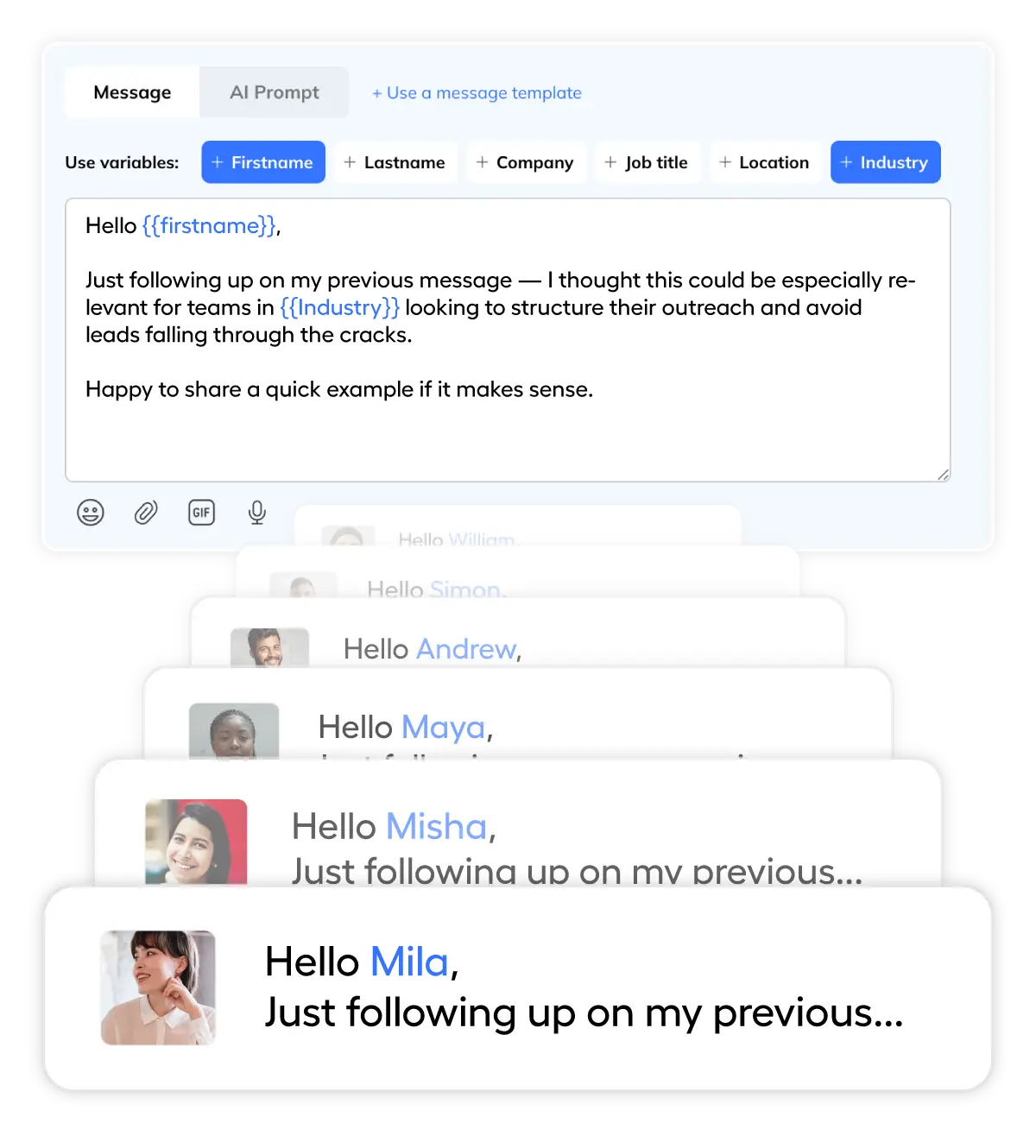
Outreach Sequences
- Dynamic variables.
- Use {firstName}, {company}, {jobTitle} and more.
- Multi-step sequences.
- Connect → Message → Follow-up, up to 6 steps.
- Human-like.
- Automated messages that feel personal.
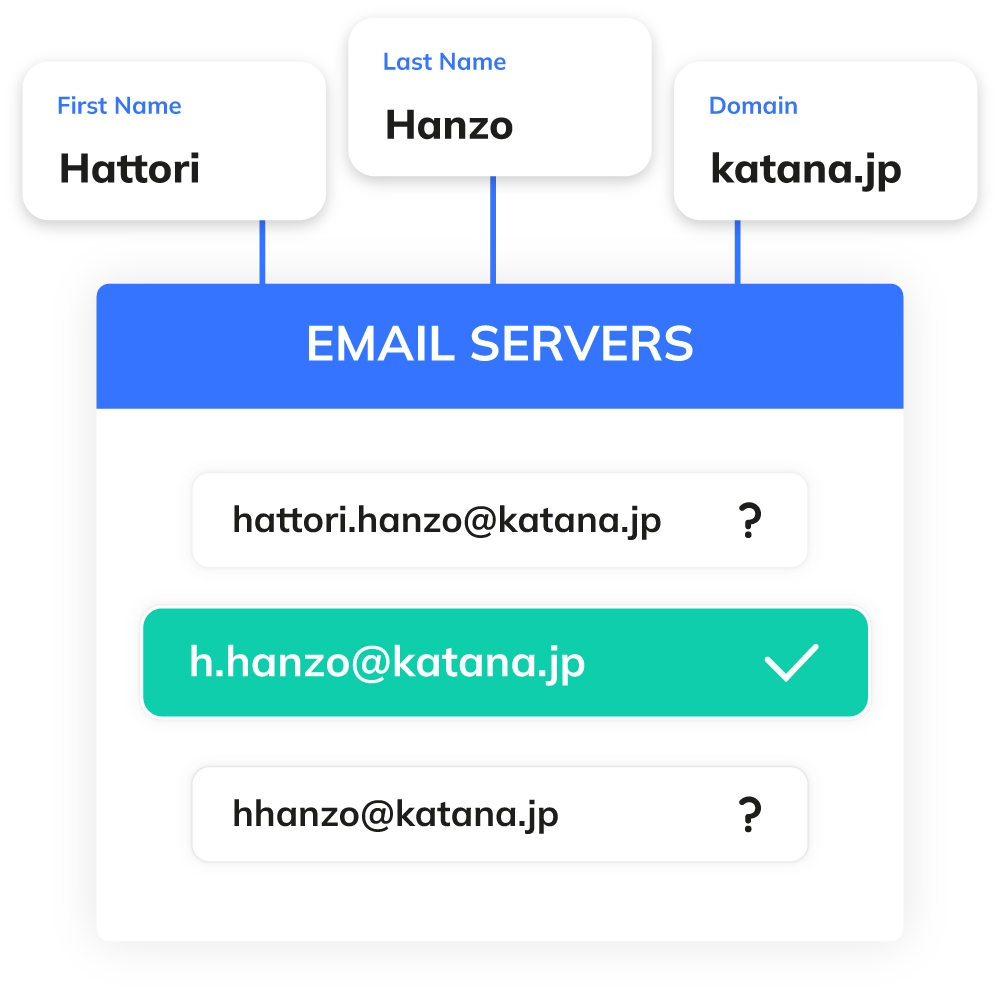
Email Finder
- 98% accuracy.
- Real-time SMTP verification for verified emails.
- Reach cold prospects.
- Connect with prospects who ignore InMails.
- Multi-channel.
- Add email to your sales outreach mix.
Ready to Supercharge Your Sales Pipeline?
Join thousands of sales reps who save 10+ hours per week with Kanbox.
Start FreePricing
Simple, Transparent Pricing
Choose the plan that fits your sales needs
Starter
- Simultaneous Campaign: 1
- Lead Import: 300 /month
- Cloud-based
- Email Finder
- Smart Linkedin Inbox with Tags and Filters
Essential
- Simultaneous Campaign: 3
- Lead Import: 600 /month
- Cloud-based
- Email Finder
- Smart Linkedin Inbox with Tags and Filters
- Team / Multi-account
- Unlimited account managers
Pro
- Simultaneous Campaign: 5
- Lead Import: 75K /month
- Cloud-based
- Email Finder
- Smart Linkedin Inbox with Tags and Filters
- Unlimited AI Prompts and Prompt Templates
- Team / Multi-account
- Unlimited account managers
- Webhooks / API
Agency 10
- 5 Simultaneous Campaigns
- Lead Import: 75K /month
- Cloud-based
- Email Finder
- Smart Linkedin Inbox with Tags and Filters
- Unlimited AI Prompts and Prompt Templates
- Team / Multi-account
- Unlimited account managers
- Webhooks / API
- Bring your own Proxies
Kanbox vs Traditional Sales Tools
| Feature | Other Tools | Kanbox |
|---|---|---|
| Native LinkedIn CRM | ||
| Sales Navigator Scraping | ~ Limited | 75k/month |
| Built-in Smart Inbox | ||
| Customizable Pipeline | Kanban | |
| Email Enrichment | 85-90% | 98% |
| Automated Sequences | 6+ steps | |
| Starting Price | 50-200€/month | 15€/month |
Who Uses Kanbox for Sales?
From SDRs to Sales Managers
SDR / BDR
Goals: Generate MQLs, book meetings for AEs
- Scrape Sales Navigator lists by ICP
- Automated prospecting sequences
- Tags to qualify leads
+40%meetings booked
-50%research time
Account Executive
Goals: Close deals, manage qualified pipeline
- Kanban pipeline to track deals
- Smart Inbox to never miss a thing
- Personalized templates for nurturing
-30%admin time
+25%win rate
Head of Sales
Goals: Scale team, standardize processes
- Shared templates & sequences
- Team pipeline visibility
- CRM export via CSV/Zapier
-40%onboarding time
+35%team productivity
What Sales Teams Say About Kanbox
Verified reviews from Kanbox users

UI, Kanban function. Attachments for emails make the process more efficient and structured.
Capterra
Kanbox is a game-changer. Connected to LinkedIn, we can run campaigns, track responses, and manage candidate engagement seamlessly.
Capterra
Clean interface, and the pipeline feature is unlike anything I've used before.
Capterra
Excellent pipeline management and campaigns. Everything is well-structured and streamlined.
Capterra
Kanbox's Kanban-style interface makes organizing leads incredibly easy. Custom pipelines make tracking outreach seamless.
Capterra
Seamless integration with LinkedIn and Sales Navigator. The intuitive inbox makes managing conversations easy and efficient.
Capterra
The best part? The Kanban board and filters make it easy to label and prioritize my leads effectively.
Capterra
Kanban is an excellent tool for anyone who uses LinkedIn for sales. It streamlines collecting, organizing, and interacting with potential clients.
CapterraFrequently Asked Questions
1. Does Kanbox work with Sales Navigator?
2. Is there any risk to my LinkedIn account?
3. How many prospects can I contact per day?
4. Can I export my leads to my CRM?
5. Is the Email Finder GDPR compliant?
6. What's the difference with Apollo.io or Outreach?
7. Can I manage multiple LinkedIn accounts?
8. What's the average response rate with Kanbox?
Ready to go from 28% to 70% selling time?
Join 2000+ sales reps who automate their LinkedIn prospecting with Kanbox.
15 days free · No credit card required · Full access from day one